

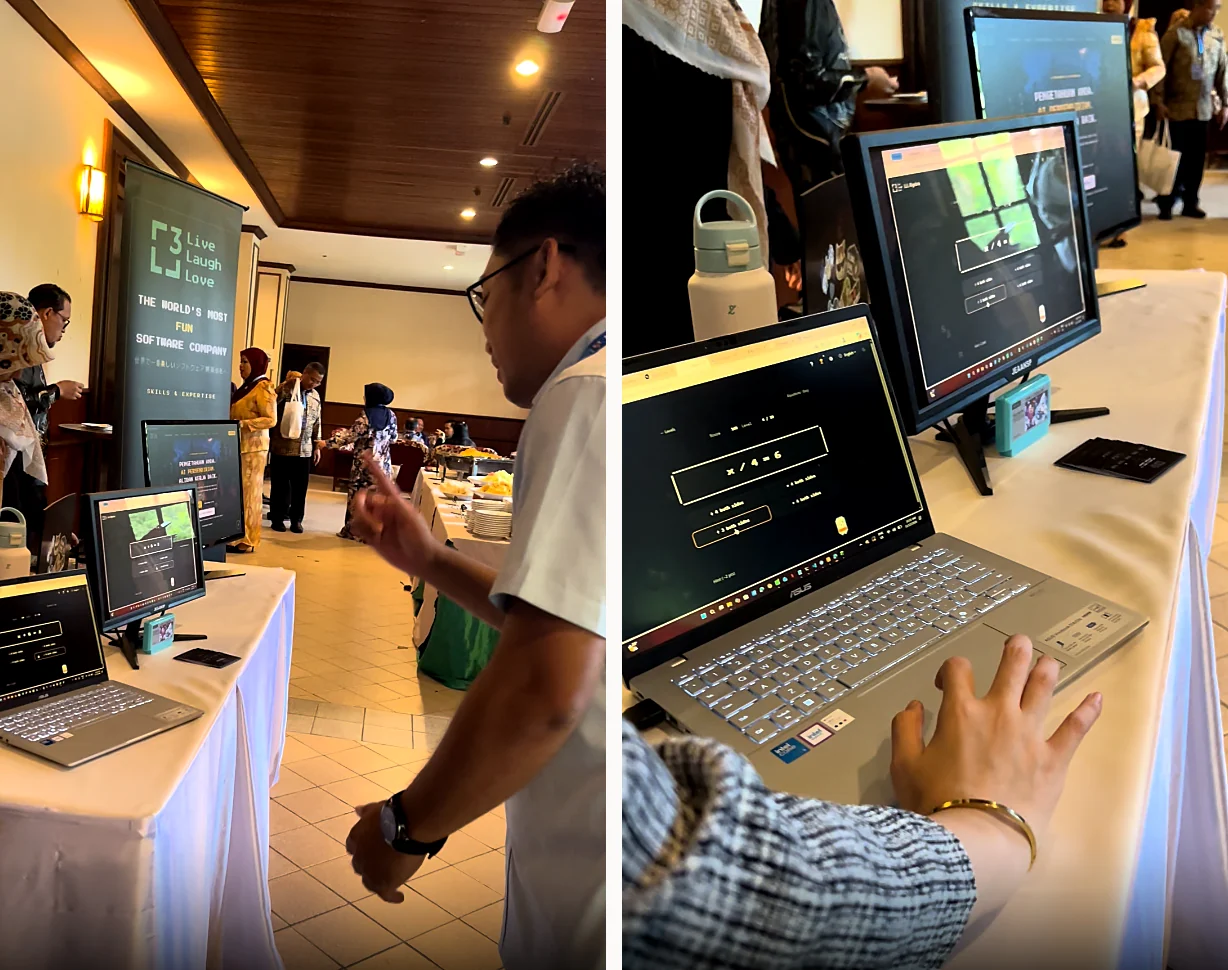
On 12 November, people at the LLL Inc. booth at AMICT 2026 (the 3rd International Conference on Advances in Machine Intelligence and Cybersecurity Technologies) in Labuan spent time playing LLL Algebra, a small algebra game I have been building during my internship. The conference was organised by Universiti Malaysia Sabah’s Faculty of Computing and Informatics, with LLL Inc. as a co-organiser alongside the Malaysia ICT Deans’ Council (MADICT). The messages I got from the team that day made my week: it was polished, it was well received, and people were really interested in it. So I was asked to write up how it came together. This is that story: how it started, what it does, the parts that were harder than they looked, and what I learned along the way.
LLL Algebra at a glance
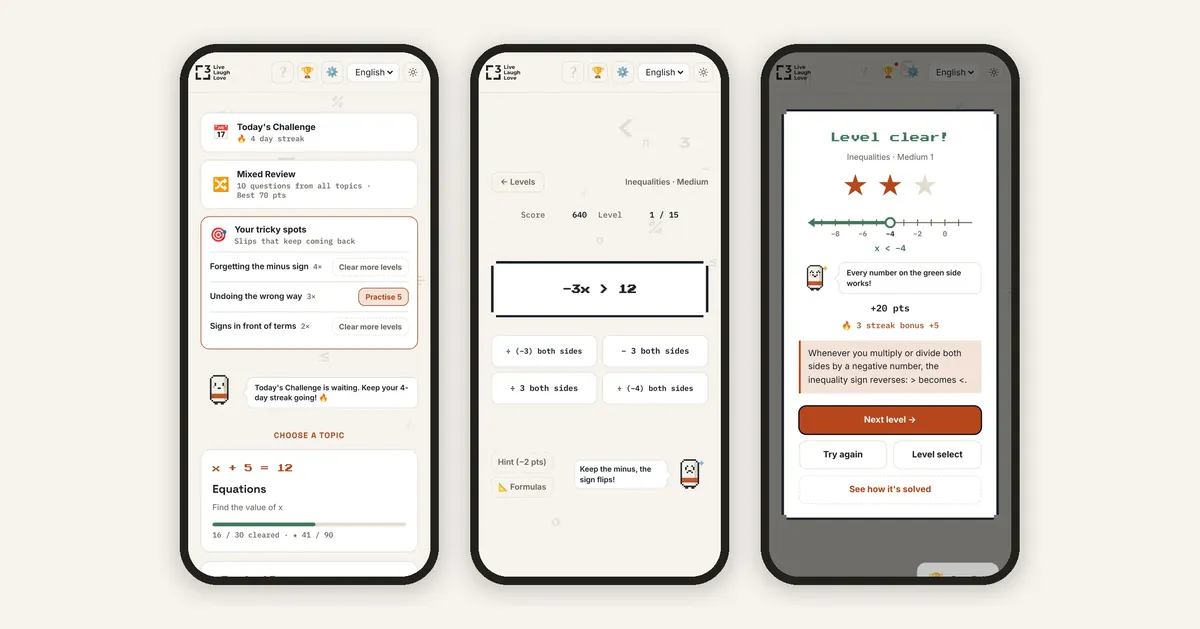
- What it is: a free algebra game where you solve each problem one step at a time by picking the right move
- Size: 13 topics and 400 levels, from x + 5 = 12 up to completing the square and straight-line graphs
- Who helps you: Chalky, a pixel-art stick of chalk who reacts to every move
- What you need: a browser. No account, no download, and progress stays on your device
- Built with: plain HTML, CSS and JavaScript, deployed on Cloudflare Pages, and open source under the MIT licence as part of the LLL Series
Where it started
LLL Algebra began in late July as part of our open-source tools initiative, where we build small, useful tools from scratch. My supervisor handed me an empty repository and a Cloudflare Pages project, and the brief was simple: a gamified algebra equation solver.
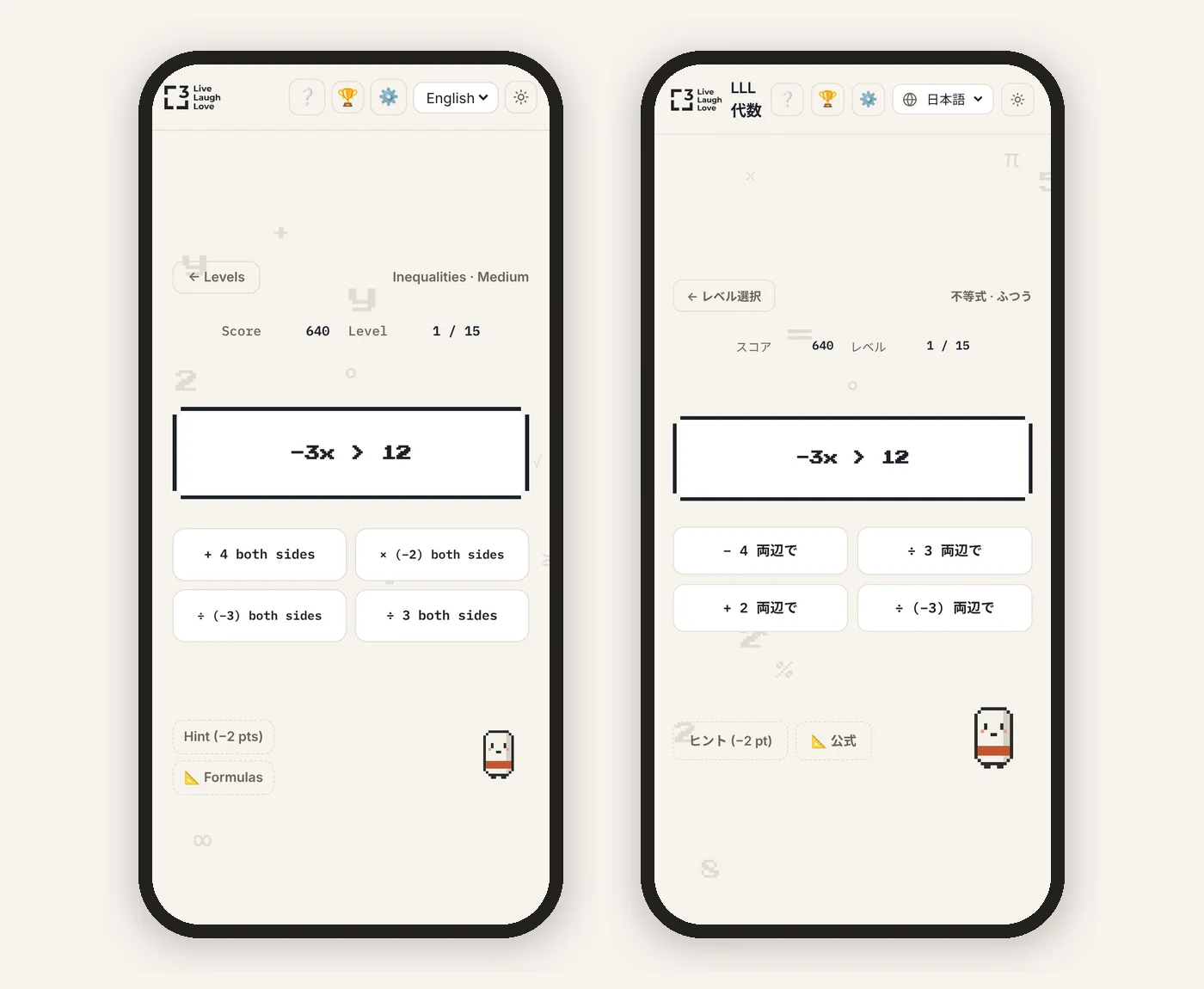
The first decision shaped everything after it. I did not want players typing algebra into a box. That needs a parser that understands every way a person might write 3x + 5 = 20, and it turns a game into a fight with the keyboard. Instead, every level is a list of steps, and at each step you tap one of four moves: ”− 5 both sides”, ”÷ 3 both sides”, and so on. Because each step is stored as structured data (an action, a value and the result) rather than text, the game always knows whether your move is right, without understanding free-form maths at all.
The first playable version was up within a couple of days: a chalkboard theme, seven equations, hints, a score, light and dark mode, and English and Japanese. Its signature graphic was a balance beam that tilted as you worked. That soon became a staircase you climbed one step at a time. Later, it was replaced again by the chalk-erase step dots and the pixel-art equation card you see today. The chalkboard idea stayed throughout. It is a game about maths class, after all.
Wrong answers should mean something
The part I am proudest of is not the right answers, but the wrong ones.
In the early prototype, the three wrong buttons were just nearby random numbers. That made the game easy to guess and taught nothing. So I changed the rule: every wrong option should be a mistake a real student makes. Forgetting to flip the inequality sign. Undoing a ”+ 5” by adding 5 again. Writing x² + 9 for (x + 3)². Dividing by a instead of 2a in the quadratic formula.
For simple + − × ÷ moves, the game builds these options itself and always includes the “opposite move” trap. For everything else, like expanding, factorising and reading a gradient, I write the three wrong options by hand, and each one is tagged with the kind of mistake it represents. Those tags are what make the rest of the game feel smart:
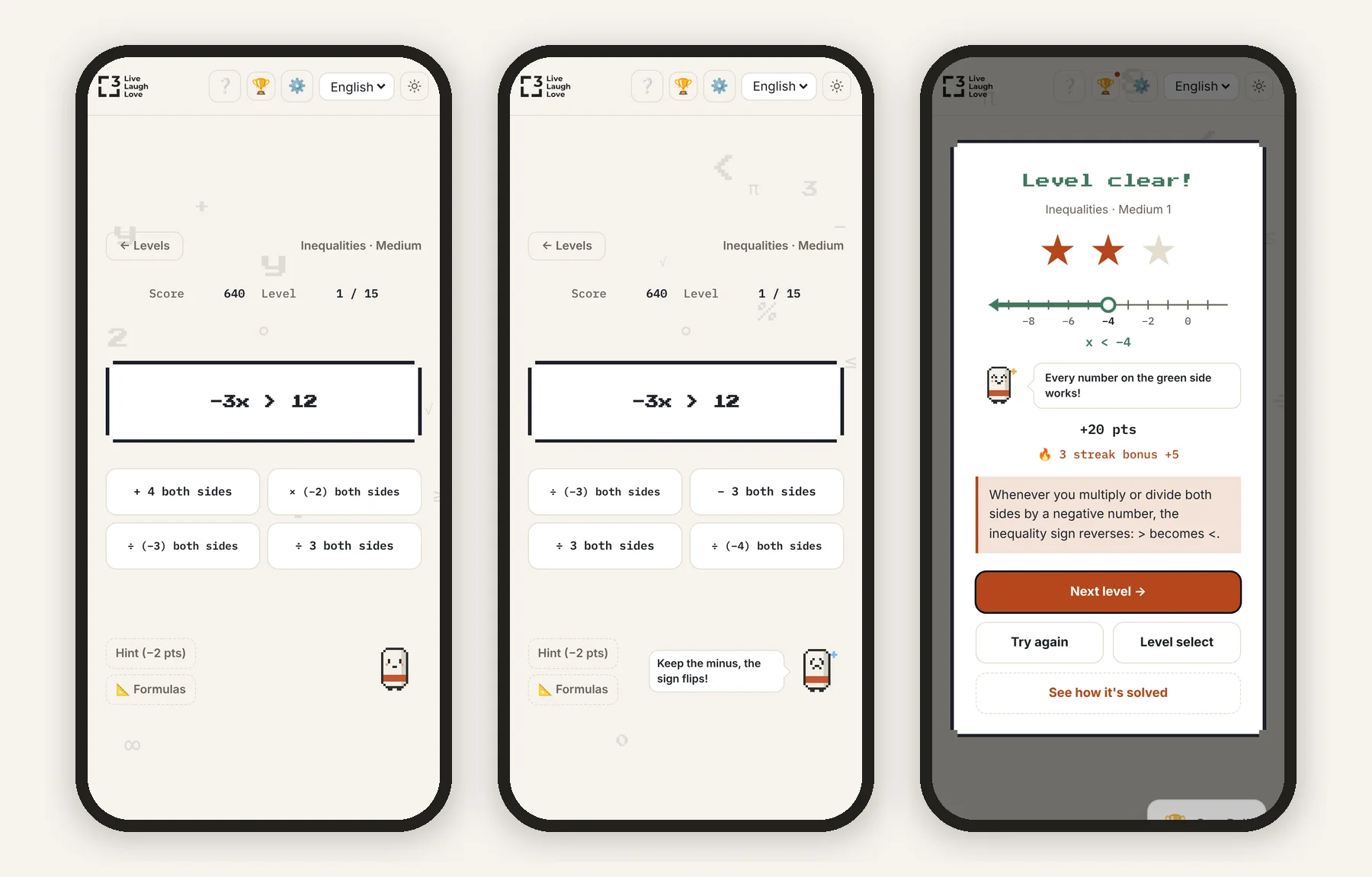
- Chalky explains what went wrong. Tap ”÷ 3” on −3x > 12 and he tells you to keep the minus, because the sign flips.
- Tricky spots keeps count of the kinds of mistakes you make most and lets you practise them directly. A mistake fades off the list once you get past it cleanly three times, so it tracks where you are now rather than where you were last week.
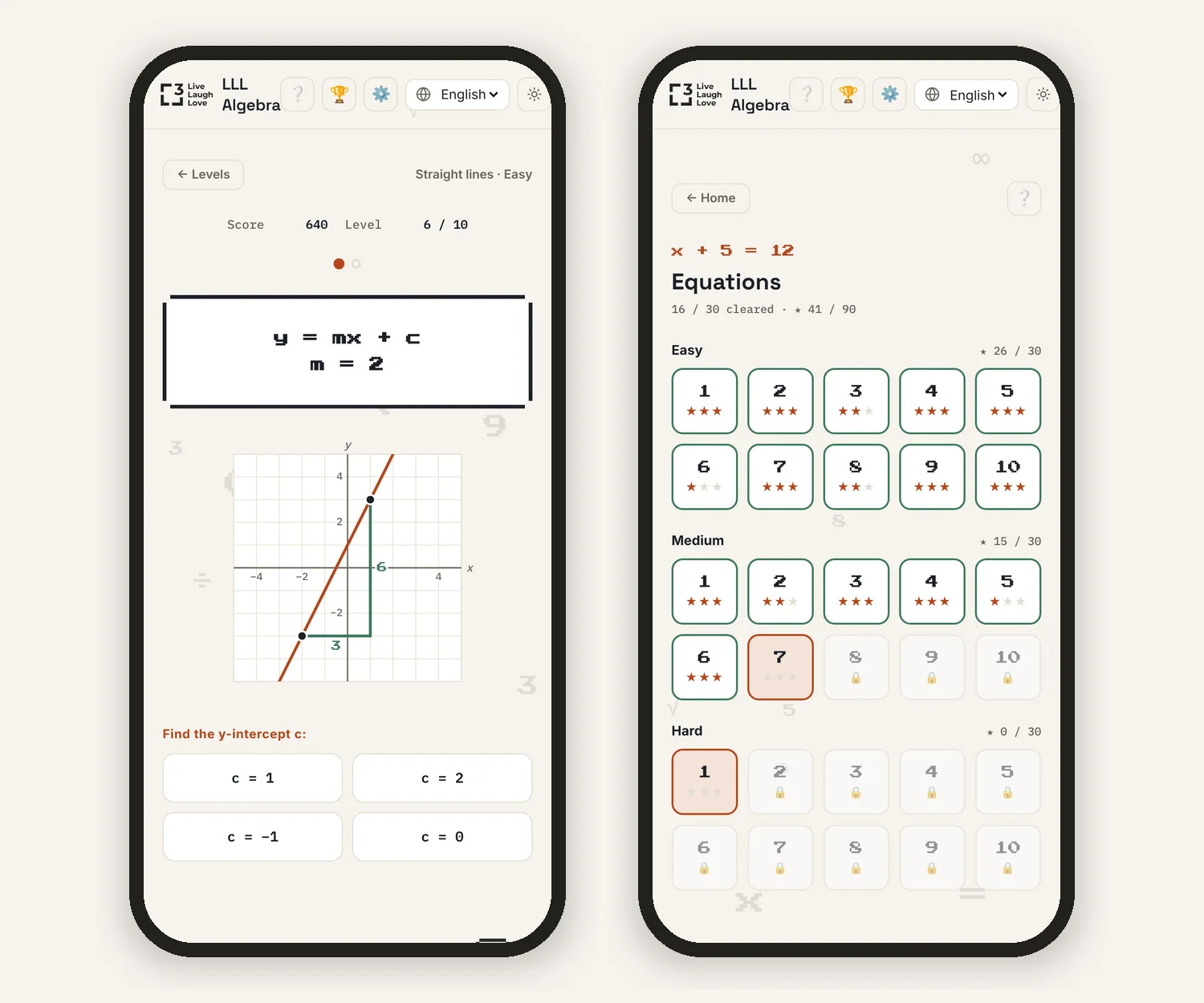
- Stars reward a clean solve: three stars with no mistakes, two if you slipped, one if you used a hint.
The tricky parts
Some of the most useful lessons came from bugs that looked small.
Negative numbers that never appeared. When I started on inequalities, the most important wrong answer, dividing by 3 instead of −3, simply never showed up. The function that built wrong options had a filter that quietly threw away anything that wasn’t positive. It made sense when every equation had positive steps, and it silently blocked the exact mistake the topic is about. The fix was to let only × and ÷ moves be negative, and to always include a guaranteed “forgot the sign” trap.
≤ and ≥ in a pixel font. The equation card uses a pixel-art font that has no ≤ or ≥ characters. Rather than switch fonts for one level type, the card draws a pixel < or > and adds a one-pixel bar underneath, so the symbol still looks like it belongs.
A language switch that did nothing. Switching from English to Japanese in the middle of a level left the buttons and hints in English. The listener was attached to the language dropdown before the dropdown existed, so it was attached to nothing. Listening on the container instead fixed it, because the event bubbles up whenever the dropdown is eventually created.
Buttons that didn’t fit. I test on a screen as narrow as 344px (a folded Galaxy Z Fold). Later topics have long options like x = (−5 ± √121)/2, which wrapped onto two lines and broke the layout. I didn’t want to rely on remembering to check, so I wrote a small script that reads every level and fails if a button would be too wide, along with other authoring slips such as duplicate IDs or a missing Japanese hint. It now runs automatically on every pull request.
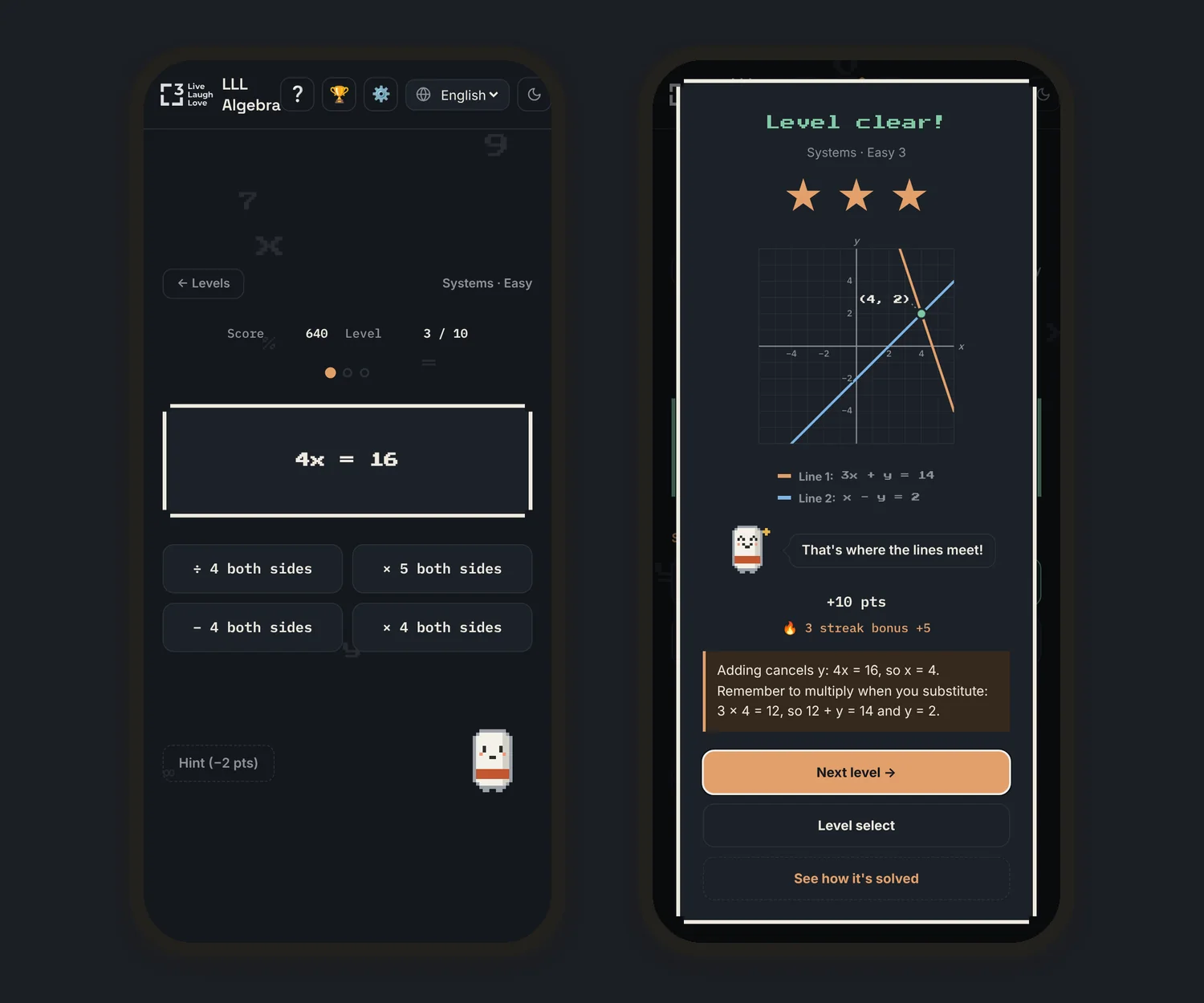
Drawing graphs from the equation itself. When you solve a pair of simultaneous equations, the Level clear card draws both lines crossing at your answer. Rather than store extra graph data for every level, the graph code reads the equation text (for example 3x + y = 14), works out each line, and animates them in. If a line can’t be read that way, the card simply skips the graph instead of drawing something wrong.
Meet Chalky
Chalky started as a way to make feedback feel less like a red cross and more like a friend leaning over your shoulder. He has no image files at all. Every expression is drawn in code on a 24 × 24 pixel grid: the white chalk body, the rust paper band, the outline that follows the light or dark theme, and faces for idle, happy, “oops” and thinking. He reacts to your moves, cheers when you clear a level, and has a few idle animations if you leave him alone for a while.
From one topic to thirteen
The game started with one topic. It now has 13: Equations, Inequalities, Brackets, Quadratics, Systems, Fractions, Formulas, Expressions, Expand & factorise, Indices, Completing the square, Straight lines and Sequences. Each topic has Easy, Medium and Hard tiers, and levels unlock in order with up to three stars each.
What made that growth possible was keeping the game data-driven. A level is just an entry in one file, with its steps, wrong options, hints and explanation in English and Japanese. Topic cards, level counts, achievements, Mixed Review and the daily challenge all pick up new levels automatically. Adding a whole new topic is mostly writing good levels, plus a few labels and a short tutorial. I documented the process so whoever adds the next topic doesn’t have to reverse-engineer it.
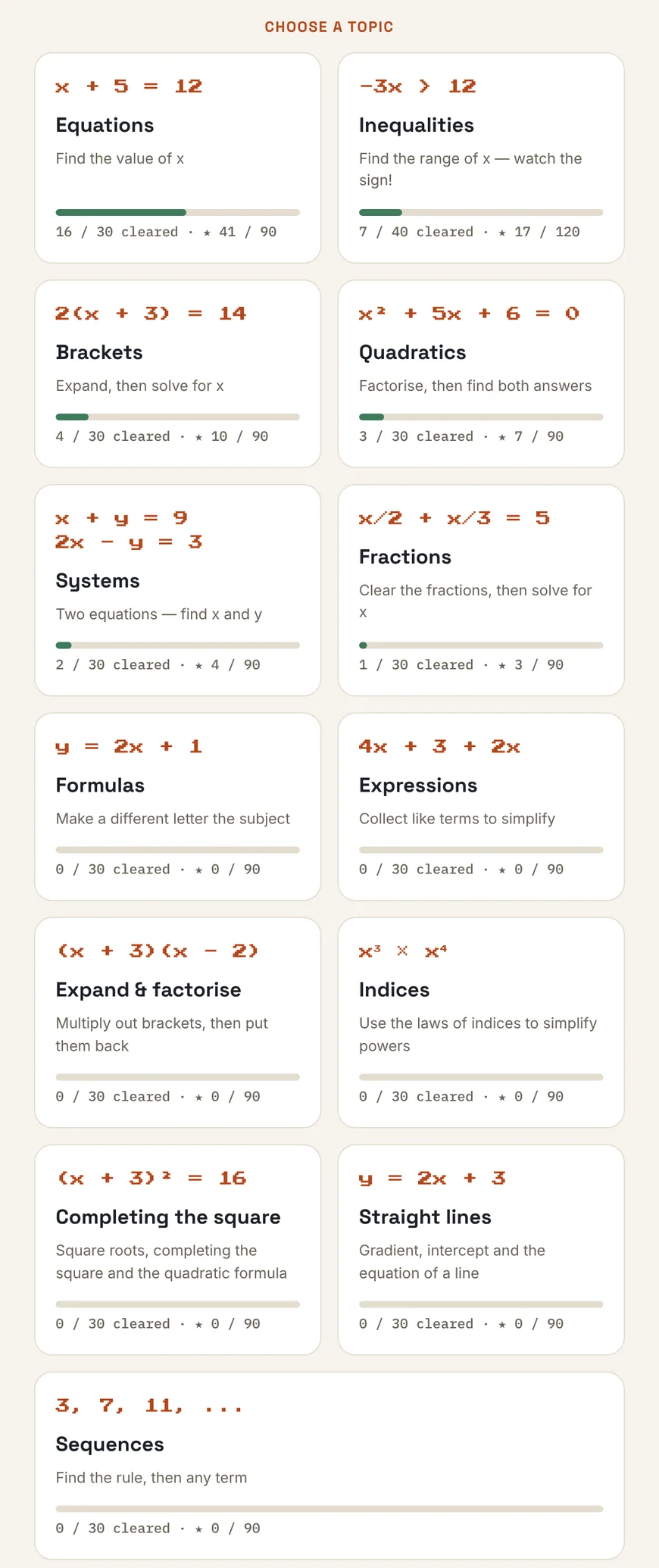
Around the topics, the game grew the things that make you come back: Today’s Challenge with a day streak, Mixed Review across everything you’ve cleared, 47 achievements, a formula sheet one tap away, sound effects, and graphs for inequalities and straight lines.
Under the hood
There’s no framework and no build step. LLL Algebra is plain HTML, CSS and JavaScript modules. Progress, stars and settings are saved in the browser’s local storage, so nothing is sent to a server and there is nothing to sign up for. Every merge to the main branch deploys automatically to Cloudflare Pages. The shared LLL utilities for theme, language and branding keep it consistent with our other open-source tools, and every line of text exists in both English and Japanese.
What I learned
Building LLL Algebra taught me more than I expected from “a small algebra game”:
- Design the data first. Choosing structured steps over free typing on day one is why the game could grow to 400 levels without the code becoming a mess.
- The wrong answers are the content. Thinking hard about how students actually go wrong made the game more useful than any visual polish.
- Automate the checks you’ll forget. A quick script on every pull request catches mistakes that would otherwise only show up on someone’s phone.
- Test on the smallest screen. If it works at 344px, it works almost everywhere.
Thank you to my supervisor and the LLL team for the feedback on every pull request, and to everyone who stopped by the booth in Labuan and gave it a go. Hearing that people enjoyed it was the best review I could ask for.
Try it: lll-algebra.pages.dev. It’s free, works on your phone, and Chalky is waiting. 😄 The source code is on GitHub.